
Why is teamwork important?
Teamwork can make problem solving in a group a lot easier as different perspectives can find a solution more efficiently
Don’t work with friends
Roles – setting roles in a group can help assign people to jobs that they are the most comfortable and experienced in
Compromise – This is being able to assign roles and be able to resign to someones else experience in specific parts of the project
Communication – this includes listening and being open to other peoples ideas, as well as being able to suggest your own
Project Brief: Environment
Theme:
Explore the concept of “Environment” through Games, Animation, or VFX. This could mean natural landscapes, urban spaces, futuristic worlds, or even abstract interpretations of what “environment” means to you.
The goal for this project is the reflect the environment and dynamic between people after a party, the final render will show a teenagers bedroom cluttered with music posters and mess, with 2D characters drawn over the top.
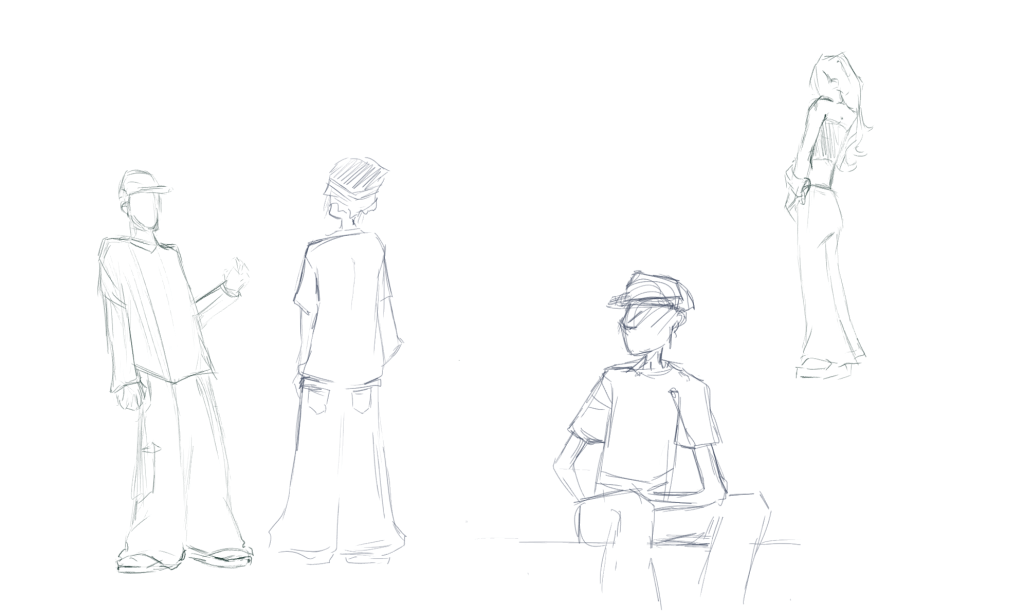
These are a couple of sketches from when I was figuring out the style I wanted to use for the characters. I didn’t want the proportions to be too realistic, similar to when cartoon characters proportions are supposed to be dramatic. I also want the characters to stand out against the 3D background, I think if I tried to draw them realistically it would not only take a very long time but the animation would lack contrast.
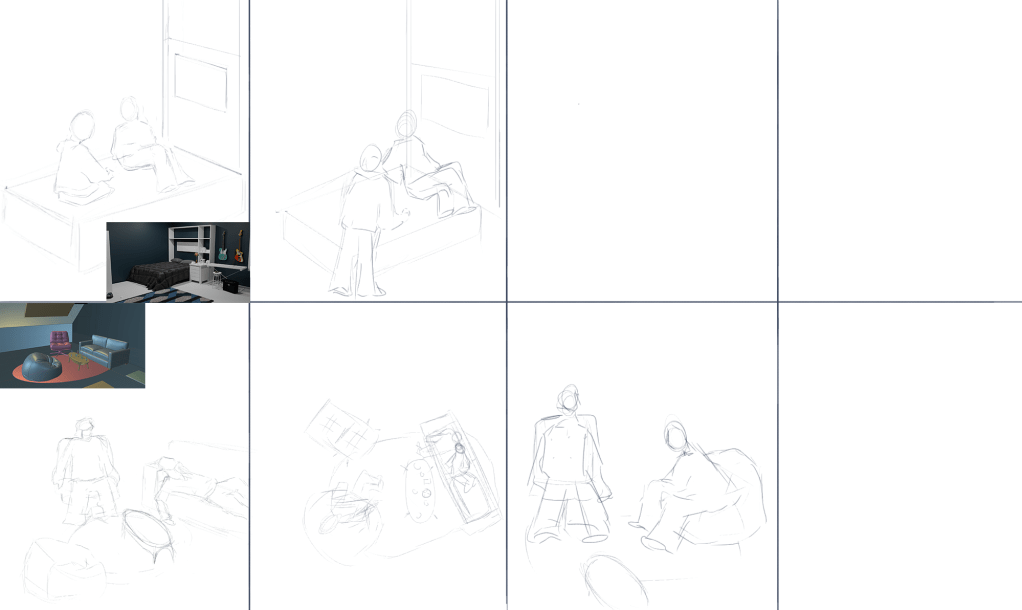
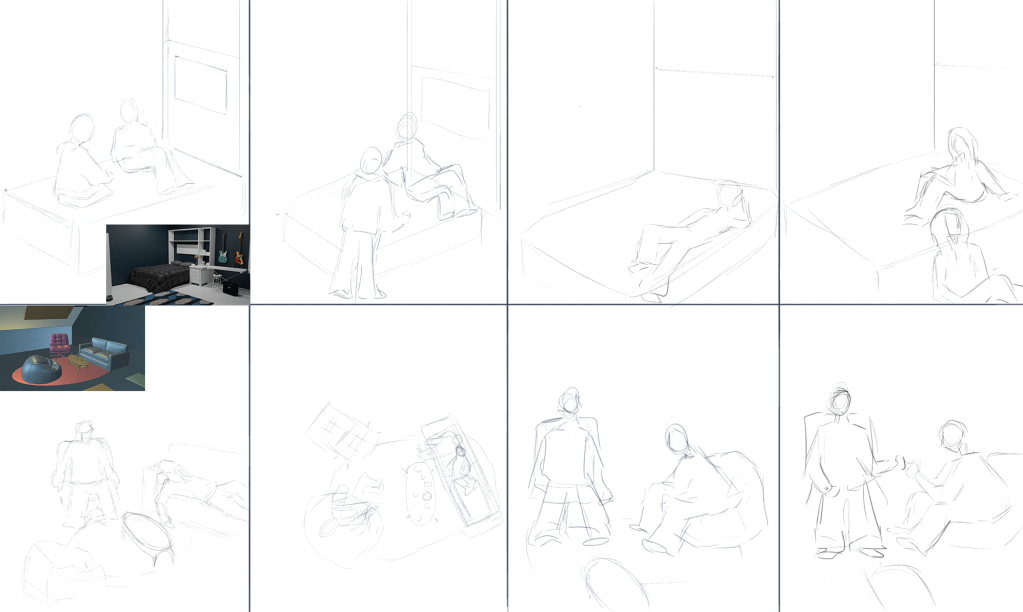
These are storyboards for what I plan the characters to be doing, I did these to mainly give me ideas on what to draw since we don’t have a linear story to follow, the main idea we are trying to highlight is the environment created in contrast to chaotic night. So I just needed to plan some of the movements, I also took into account the positioning of the furniture so I used Harry’s block out as a guid.
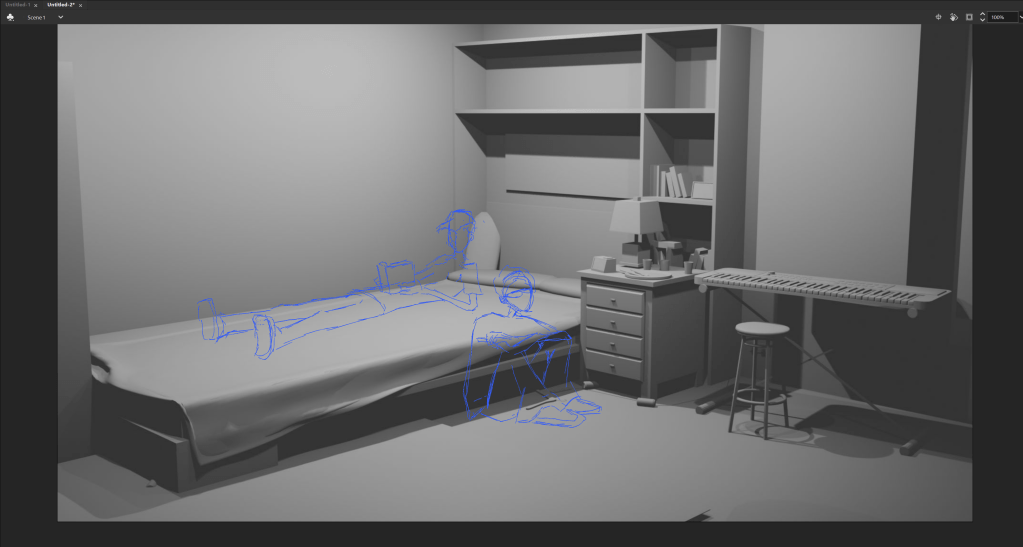
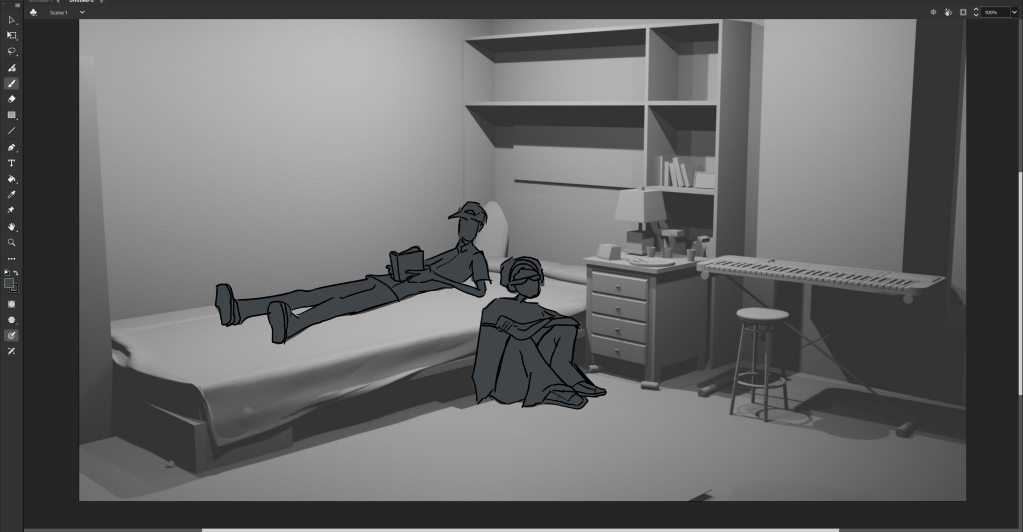
This is the result of using animate to draw a couple of the frames and while drawing I didn’t run into any problems as I used the same process and techniques I’ve used to animate in the past, and its a familiar software to me. However since I have to account for the 3D aspects this project it is different compared to any others I have done.
I found that animating over the top of the 3D render in a 2D space like adobe animate would make the perspective difficult to work with, and it also wouldn’t look very cohesive. so as a change of plan I decided to learn the basics of grease pencil in blender. This would be difficult since I am not familiar with the software, however for the project it would improve the look of the final product and it would make it easier to work as a group since we are using the same software.
I’m able to draw the characters directly onto the scene, this has alleviated the stress of the perspective being off since I don’t need to worry about the scene underneath just being a screenshot. So if there where any issues we could fix the easier and also means we can just amend the drawings into the finished render of the room.
Micah Buzan ANIMATION. (2025). 2D Blender Grease Pencil Basics: Start Animating In 10 Minutes. [Online]. youtube. Last Updated: Jun 7, 2025. Available at: https://www.bing.com/videos/riverview/relatedvideo?&q=2D+Blender+Grease+Pencil+Basics%3a+Start+Anima [Accessed 4 December 2025].
This video was very useful for learning just how the basics of grease pencil worked and i found it very helpful since it highlighted which parts I can treat like any other animation software (which parts are similar to adobe) and which are specific to blender. some things i found difficult to get my head around where having to lock layers you aren’t using, because this would mean it would erase the layers underneath. I also had trouble with the brushes, i found that they where quite limiting , and with further research I could probably find brushed i can download, but with this being my first project with grease pencil i wanted to get familiar with using it first.
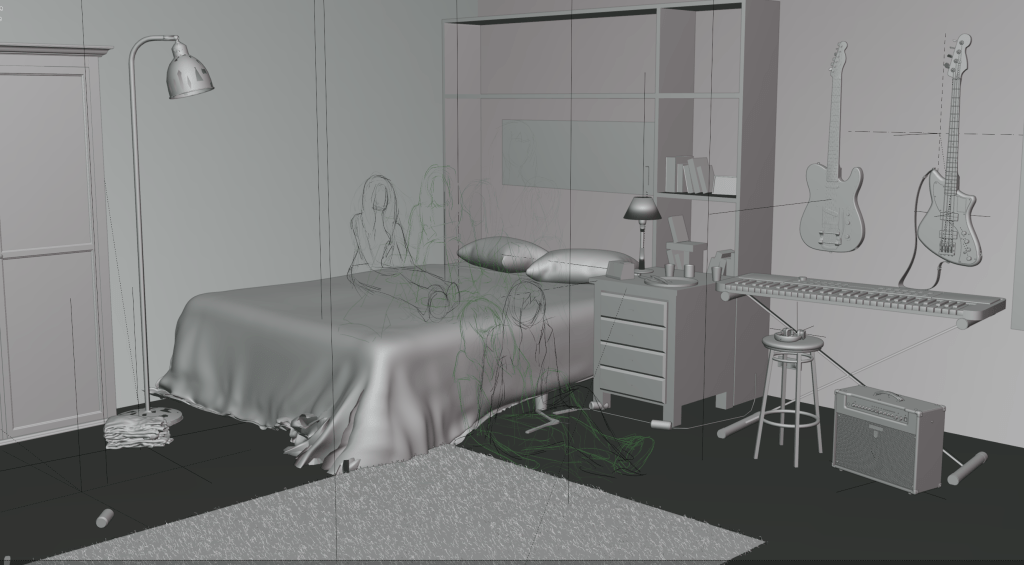
I found a lot of the shortcuts where similar to software I’ve used before but the keyframes and layers will take a lot more practice to get used to.
I also found the onion skin more confusing compared to animate, it ended up auto looping the animation which made it quite difficult to work on the starting frames of the animation, however once I had a few frames down this wasn’t a problem.

This is the range of brushes I had, I ended up using the pencil soft for the sketches and the marker and pen for the lines and colouring. This is something I would change once I was more experienced in the software, because I found it didn’t give you choices on how your animation would look, as you cant choose between different textures.
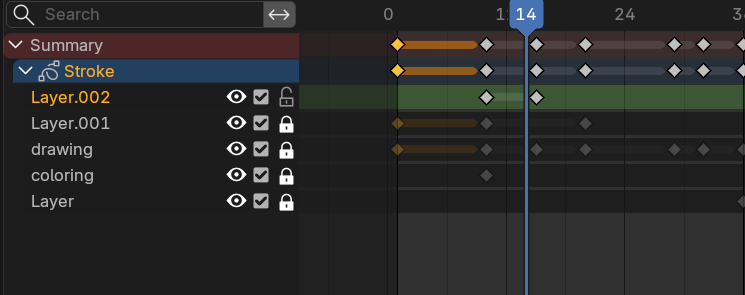
These are the layers of my animation. There are a few that are default that blender puts there for you, but I didn’t end up using these. The keyframes are something I had trouble with figuring out in the beginning and had to watch the video a few times over, but i got the hang of it eventually.
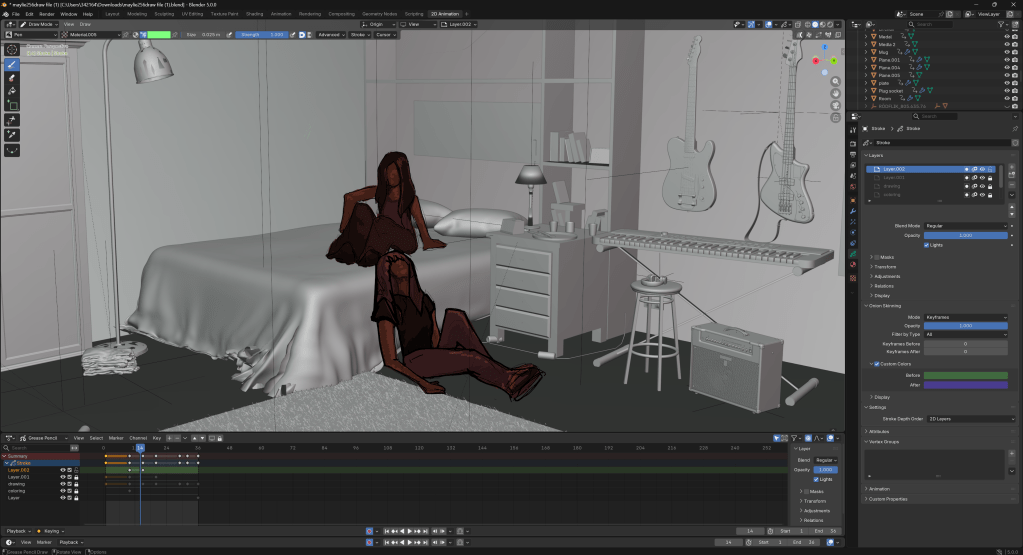
Another thing that helped me was using video references, this is something I’ve used before for an animation project and I find it helps so much more then photos, the process is similar to rotoscoping however without tracing the frames, you can just see how each movement looks slowed down and it makes it so much less overwhelming a confusing to animate people.
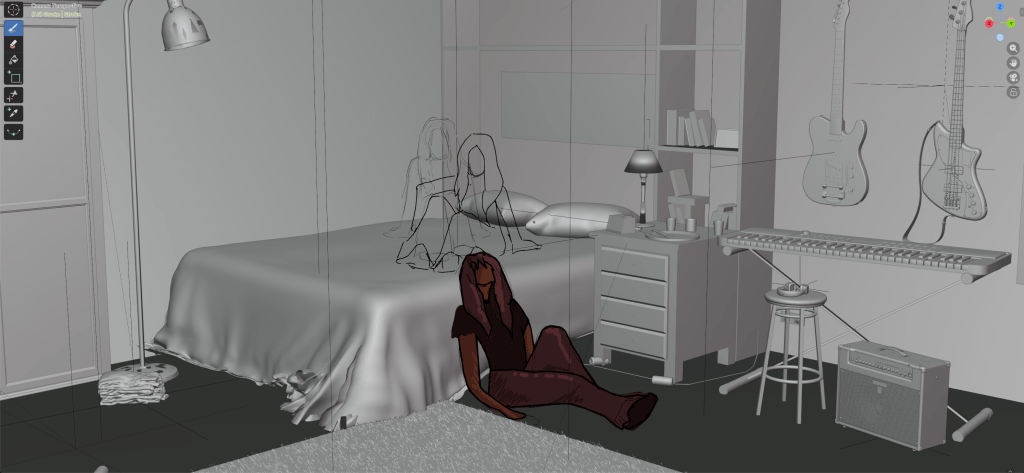
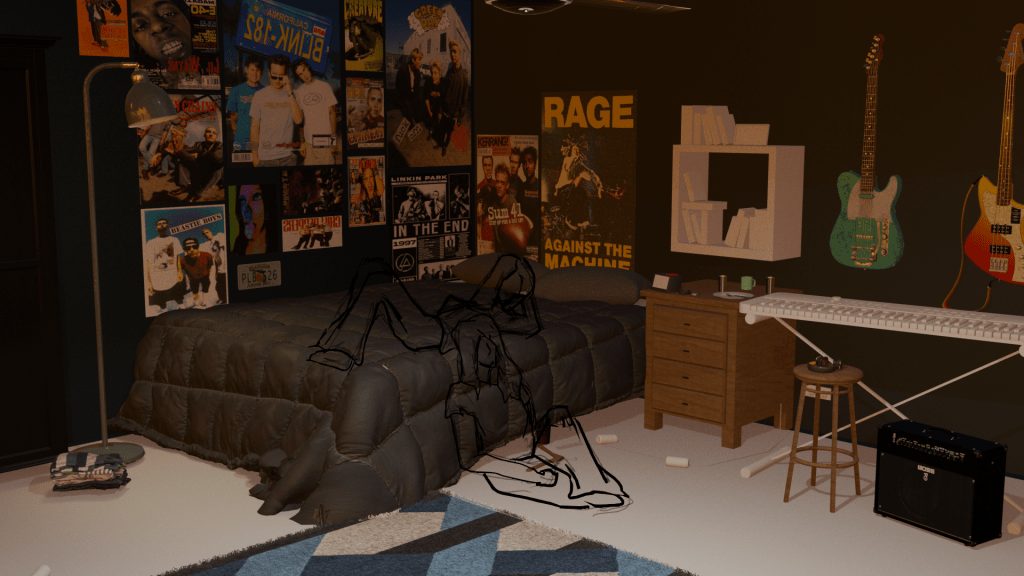
A goal for this project was to feel more comfortable animating in a 3d space and diversify the software I am able to use, I feel like I have achieved this goal, before this project I didn’t even know what grease pencil was, but now I am able to navigate it in a way that i can produce drawings. I also wanted to experiment with colouring is the most simple way i could while still being able to portray shadows and highlights, I have found in the past that the colouring is the most time consuming part of the project and I really wanted to cut down on it this time.
I am disappointed I wasn’t able to finish the animation, however I made this goal when I was still intending on drawing on adobe animate, so I was much more ambitious since I am more confident with the software. I am glad I got the opportunity to learn grease pencil though, and I think this is a positive outcome of this project, I am interested in continuing learning as well, and being able to use it more comfortably.
 PORTFOLIO