
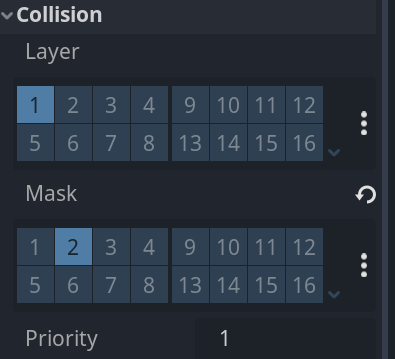
I’ve added kill zones into my game for the player to run into, to make the game more difficult to play. I’ve done this by adding a new node in the top left next to node 2D and named it kill zone, using the collision drop down menu, changing the mask on the inspector tab on the right too 2 instead of 1. Adding to the script, going to the node tap on the right and selecting the right signal this is the long list of red arrow keys .In between the blue and pink text on line 15 I added on_body_entered so that the character that is stated as body by the engine will collide with these zones and reload so when the character for example falls off the map the game will reload and won’t crash which was an issue ive had before.
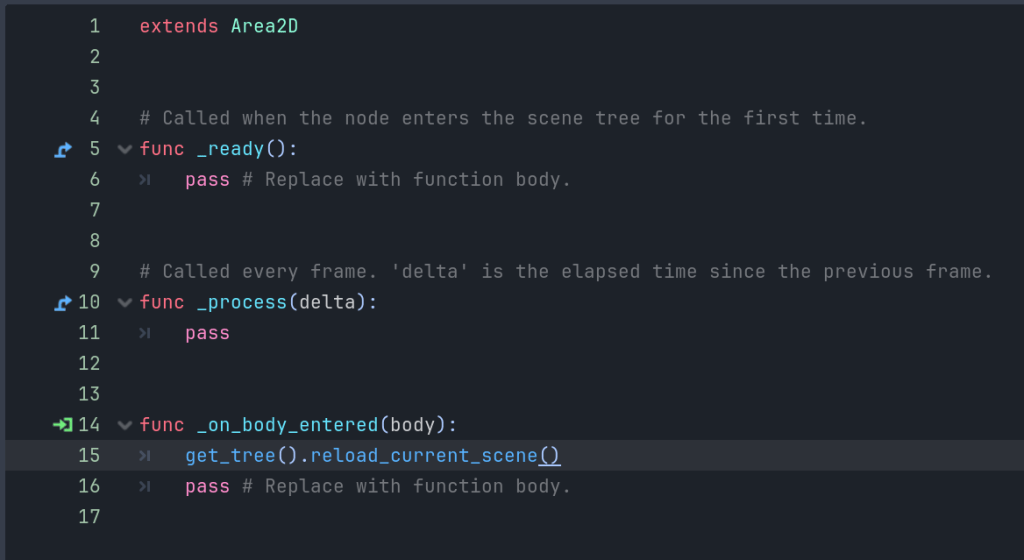
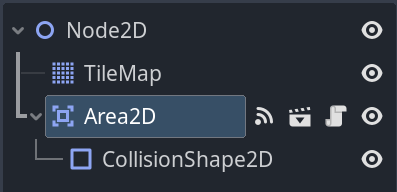
After this I added the kill zone node to the note 2D with the instantiate child scene icon so they would interact with the rest of my game. So now there is two more nodes beneath the other ones as area 2D and collision shape 2D.
I can change the shape of the collision blocks by selecting the node on the left and going to the shape tap on the right and selecting the shape I want, if I want the game to reset when the player falls off the map I would use the shape at the top (new world boundary shape).
 PORTFOLIO